
INTRODUCTION
Building a secure cloud infrastructure manually through the AWS Console is time-consuming and leaves room for human error. Infrastructure as Code (IaC) solves this by letting you define, manage, and version your resources using clean configuration files.
In this guide, we will use Terraform to build a complete, production-ready AWS environment from scratch—combining VPC networking, encrypted S3 storage, and strict IAM access controls.
CORE ARCHITECTURAL COMPONENTS
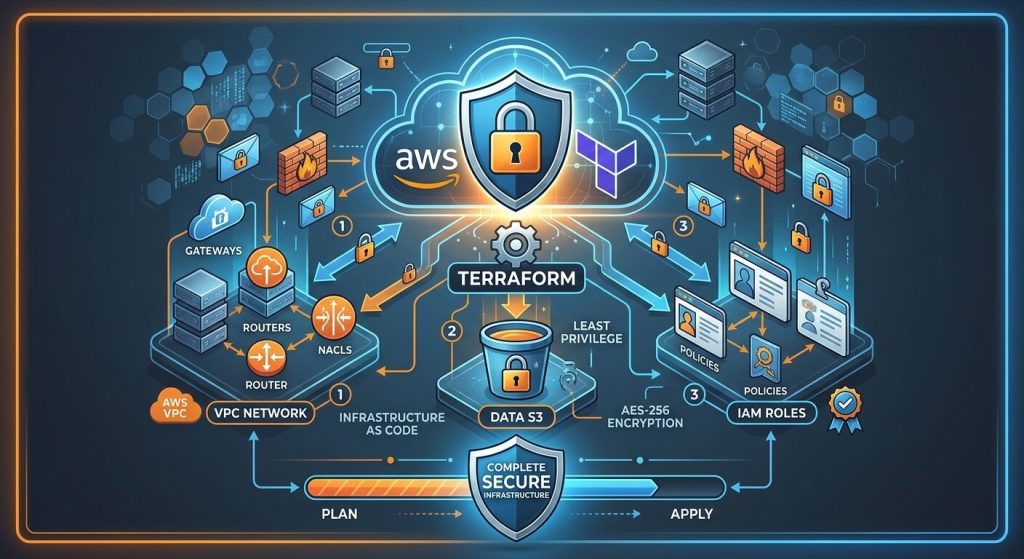
To keep our AWS setup secure, we will focus on three fundamental layers: network isolation, storage protection, and access management.
- Isolated Virtual Private Cloud (VPC) Networking
The Virtual Private Cloud serves as the foundational boundary for cloud workloads. Securing the network layer involves partitioning subnets across multiple Availability Zones, managing route tables, and restricting external ingress traffic through security groups and Network Access Control Lists (NACLs).
- Encrypted Object Storage (Amazon S3)
Object storage hosting sensitive assets or application backups must adhere to strict encryption and access policies. Enforcing AES-256 server-side encryption, blocking public access configurations, and enabling bucket versioning ensures data durability and privacy compliance. For detailed single-resource provisioning, see our complete guide on provisioning secure AWS S3 buckets with Terraform.
- Granular Access Control (AWS IAM)
Decoupling permissions from static API keys prevents unauthorized credential leakage. Deploying customer-managed IAM policies alongside dynamic IAM roles grants applications precise operational permissions following the principle of least privilege. For deep-dive IAM role automation strategies, review our guide on provisioning AWS IAM roles and policies with Terraform.
INTEGRATED TERRAFORM INFRASTRUCTURE CODE
The following unified Terraform configuration combines networking, encrypted S3 storage, and scoped IAM role policies into a single cohesive deployment file.
- Provider and Variables Configuration
Create a file named main.tf and define the AWS provider and regional variables:
provider "aws" {
region = var.aws_region
}
variable "aws_region" {
type = string
default = "us-west-2"
}variable "environment" {
type = string
default = "production"
}- Provisioning Network and Storage Resources
Define the isolated VPC network alongside the encrypted S3 bucket resource:
resource "aws_vpc" "main_network" {
cidr_block = "10.0.0.0/16"
enable_dns_hostnames = true
enable_dns_support = true
tags = {
Name = "main-vpc-${var.environment}"
Environment = var.environment
}
}resource "aws_subnet" "public_subnet" {
vpc_id = aws_vpc.main_network.id
cidr_block = "10.0.1.0/24"
map_public_ip_on_launch = falsetags = {
Name = "public-subnet-${var.environment}"
}
}resource "aws_s3_bucket" "app_storage" {
bucket = "app-secure-storage-${var.environment}-data"
force_destroy = false
}resource "aws_s3_bucket_server_side_encryption_configuration" "s3_encryption" {
bucket = aws_s3_bucket.app_storage.idrule {
apply_server_side_encryption_by_default {
sse_algorithm = "AES256"
}
}
}resource "aws_s3_bucket_public_access_block" "block_public" {
bucket = aws_s3_bucket.app_storage.id
block_public_acls = true
block_public_policy = true
ignore_public_acls = true
restrict_public_buckets = true
}- Defining IAM Access Security Policies
Generate least-privilege IAM policies and attach them to compute roles targeting the provisioned S3 storage:
data "aws_iam_policy_document" "s3_read_write_doc" {
statement {
effect = "Allow"
actions = [
"s3:GetObject",
"s3:PutObject",
"s3:ListBucket"
]
resources = [
aws_s3_bucket.app_storage.arn,
"${aws_s3_bucket.app_storage.arn}/*"
]
}
}
resource "aws_iam_policy" "s3_app_policy" {
name = "app-s3-rw-policy-${var.environment}"
description = "Scoped access policy for application S3 operations"
policy = data.aws_iam_policy_document.s3_read_write_doc.json
}data "aws_iam_policy_document" "ec2_trust_doc" {
statement {
effect = "Allow"
actions = ["sts:AssumeRole"]
principals {
type = "Service"
identifiers = ["ec2.amazonaws.com"]
}
}
}resource "aws_iam_role" "app_compute_role" {
name = "app-compute-role-${var.environment}"
assume_role_policy = data.aws_iam_policy_document.ec2_trust_doc.json
}resource "aws_iam_role_policy_attachment" "app_attach_s3" {
role = aws_iam_role.app_compute_role.name
policy_arn = aws_iam_policy.s3_app_policy.arn
}DEPLOYMENT WORKFLOW AND VALIDATION
Execute the following commands sequentially within your working directory to deploy and validate the full stack:
- Initialize the working directory and modules:
terraform init- Validate syntax and structural integrity:
terraform validate- Preview the full resource execution plan:
terraform plan- Apply and provision the integrated cloud architecture:
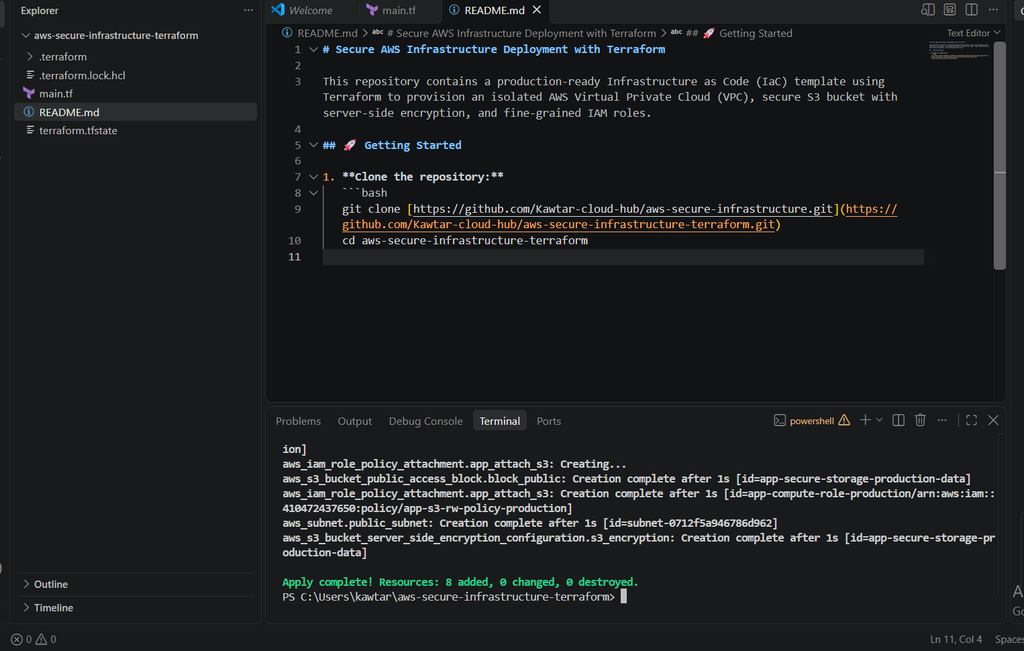
terraform apply -auto-approveOnce the deployment finishes, Terraform will confirm that all resources were created without errors, as shown in the VS Code terminal below:
CONCLUSION
By combining VPC networking, server-side encrypted S3 storage, and scoped IAM roles, you build a production-ready environment that prioritizes security right out of the box. Automating these components with Terraform eliminates manual errors and guarantees a clean, reliable, and scalable infrastructure.
Explore the Code
You can check out the complete, ready-to-deploy code for this project on GitHub: