
INTRODUCTION
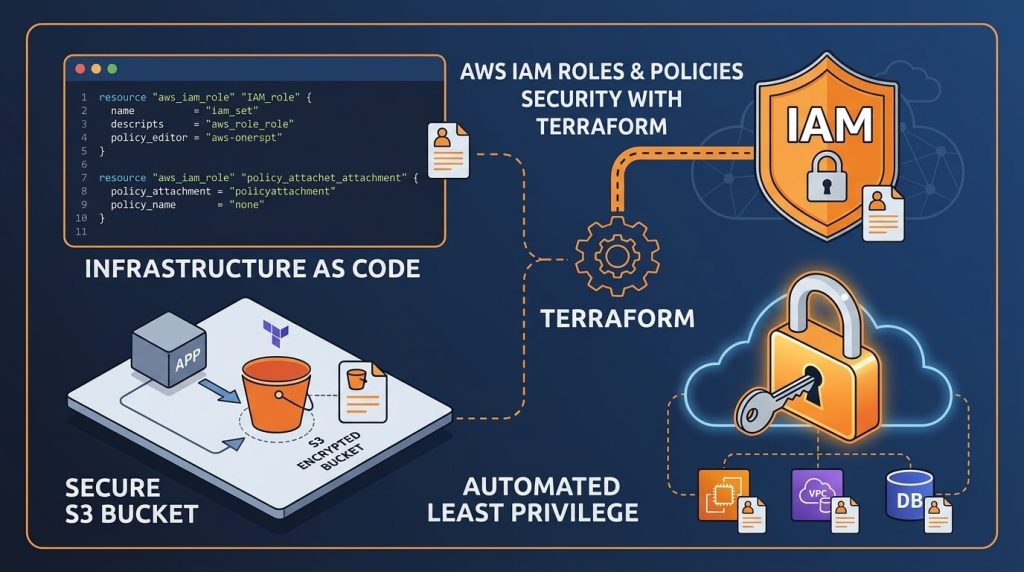
Managing access control is one of the most critical pillars of cloud security. AWS Identity and Access Management (IAM) gives you fine-grained control over who can access your environment and what actions they can perform. Adhering to the principle of least privilege ensures that your applications receive only the exact permissions needed to function—nothing more.
Building on our previous article on provisioning secure AWS S3 buckets with Terraform, managing cloud storage effectively requires a solid access strategy. Hardcoding static IAM credentials into application code introduces massive security risks. By using Terraform to declare dynamic IAM roles and customer-managed policies, you can automate credential delegation, maintain strict compliance, and keep your infrastructure as code clean and auditable.
WHY AUTOMATE AWS IAM WITH TERRAFORM?
Automating IAM configuration through Infrastructure as Code (IaC) eliminates manual permission management errors in the AWS Management Console. Using Terraform for IAM governance provides several operational advantages:
- Centralized Security Governance: Manage policies, roles, and group attachments across multiple environments from a single version-controlled repository.
- Reusability and Modular Design: Define reusable policy templates that can be applied across multiple workloads and deployment pipelines.
- Auditability and Compliance: Track all privilege changes through Git commit logs, making compliance auditing straightforward and automated.
- Reduced Secret Exposure: Assign IAM roles directly to compute instances and services, eliminating the need to embed long-term access keys into application software.
TERRAFORM IAM CONFIGURATION
To demonstrate secure access delegation, the following Terraform configuration creates an IAM policy that grants read and write permissions to an existing S3 bucket, defines an IAM role for EC2 instances, and attaches the policy to the role.
- Create the AWS Provider Configuration
Create a file named main.tf and configure the AWS provider along with local variables:
provider "aws" {
region = "us-west-2"
}
variable "environment" {
type = string
default = "production"
}variable "s3_bucket_arn" {
type = string
default = "arn:aws:s3:::example-secure-storage"
}- Define the IAM Policy Document
Use the aws_iam_policy_document data source to generate a secure, scoped JSON policy for S3 bucket operations:
data "aws_iam_policy_document" "s3_access_doc" {
statement {
sid = "AllowS3BucketActions"
effect = "Allow"
actions = [
"s3:GetObject",
"s3:PutObject",
"s3:ListBucket"
]
resources = [
var.s3_bucket_arn,
"${var.s3_bucket_arn}/*"
]
}
}
resource "aws_iam_policy" "s3_access_policy" {
name = "app-s3-access-policy-${var.environment}"
description = "Managed policy granting least-privilege S3 bucket access"
policy = data.aws_iam_policy_document.s3_access_doc.json
}- Configure the IAM Role and Trust Policy
Define an IAM role with an assume role trust policy that allows EC2 instances to adopt the role credentials dynamically:
data "aws_iam_policy_document" "ec2_assume_role_doc" {
statement {
effect = "Allow"
actions = ["sts:AssumeRole"]
principals {
type = "Service"
identifiers = ["ec2.amazonaws.com"]
}
}
}resource "aws_iam_role" "app_execution_role" {
name = "app-execution-role-${var.environment}"
assume_role_policy = data.aws_iam_policy_document.ec2_assume_role_doc.json
}resource "aws_iam_role_policy_attachment" "attach_s3_policy" {
role = aws_iam_role.app_execution_role.name
policy_arn = aws_iam_policy.s3_access_policy.arn
}resource "aws_iam_instance_profile" "app_instance_profile" {
name = "app-ec2-instance-profile-${var.environment}"
role = aws_iam_role.app_execution_role.name
}DEPLOYING THE INFRASTRUCTURE
To apply the IAM configuration using Terraform, run the following workflow commands in your terminal:
- Initialize the project working directory:
terraform init- Preview the IAM resources to be provisioned:
terraform plan- Apply the execution plan to provision the IAM role and policy:
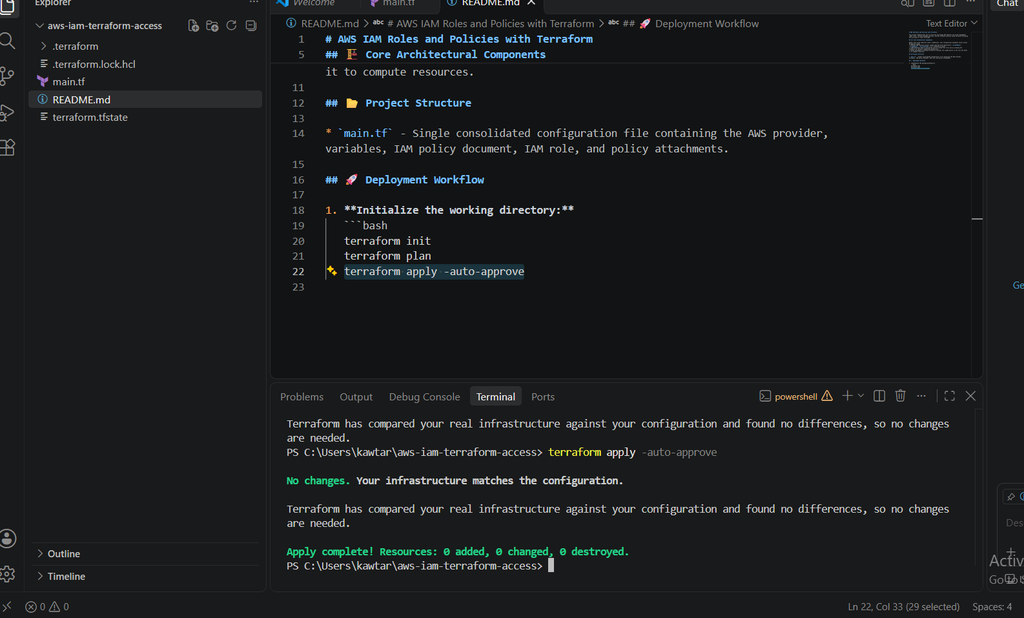
terraform apply -auto-approveTerraform Apply Success
When running the command after initial deployment, Terraform confirms that our live AWS infrastructure perfectly matches the code base. Seeing zero additions, changes, or destructions indicates a stable, fully compliant access control setup:
CONCLUSION
Implementing automated access controls with Terraform keeps your cloud permission policies secure, version-controlled, and consistent across environments. Moving away from long-term static credentials in favor of dynamic IAM roles significantly reduces your overall attack surface.
You can inspect the full implementation and copy the complete configuration files directly from my GitHub repository.